


 In this notebook we introduce send and retrieve message tools for 3
messaging platforms: Discord, Slack, and Telegram.
These tools can be added to your AG2 agents, enabling them to send
messages during a workflow and/or retrieve messages for use by the
workflow.
There are two types of tools, with one for each platform:
In this notebook we introduce send and retrieve message tools for 3
messaging platforms: Discord, Slack, and Telegram.
These tools can be added to your AG2 agents, enabling them to send
messages during a workflow and/or retrieve messages for use by the
workflow.
There are two types of tools, with one for each platform:
- Sending a message (
DiscordSendTool,SlackSendTool,TelegramSendTool) - Retrieving messages (
DiscordRetrieveTool,SlackRetrieveTool,TelegramRetrieveTool)
These tools are currently in our
experimental namespace, indicating that we have tested the functionality but they have not been confirmed for use in production. Please use them with that in mind and we appreciate any feedback on them.If you do find any bugs please log an issue in the AG2 repository. If you would like to add more tools or functionality, we would love your contribution.Installation
Each messaging platform requires installation of a package specifically for that platform. To use the Discord tools install AG2 with thecommsagent-discord
extra:
LLM Configuration
The examples in this notebook will use OpenAI’sGPT-4o mini model and
the OPENAI_API_TOKEN will be retrieved from environment variables, we
can use an LLM configuration as follows:
Protecting details from the LLM
These tools utilise dependency injection to protect your authentication and channel/group details from being sent to the LLM. For more about AG2’s dependency injection, see this notebook.Discord Send/Retrieve Messages
Tokens, Guilds, and Channels
The Discord tools,DiscordSendTool and DiscordRetrieveTool, require
authentication (bot token), server (guild name), and channel details in
order to send/retrieve messages.
Here are some references to help you establish those details:
- Creating a Bot Account, and another reference
- Adding a Bot to a server
- Bot Permissions you will need:
- General Permissions: View Channels
- Text Permissions: Send Messages, Read Message History, Use Slash Commands
- Server/Guild Name - Right-click the Server > Server Settings > Overview, see the Server Name at the top right (e.g. “My Test Server”)
- Channel name - The text after the hash (e.g. “general”)
Sending and retrieving messages with Discord
Let’s add the Discord Send and Retrieve tools to an agent and have them executed by another agent in a simple 2-agent chat. And the output:
Slack Send/Retrieve Messages
Tokens and Channels
The Slack tools,SlackSendTool and SlackRetrieveTool, require
authentication (OAuth token) and channel details in order to
send/retrieve messages.
Here are the steps to get a token:
- Create an app, from scratch, at https://api.slack.com/apps
- In your app settings, go to Features > OAuth & Permissions:
- Under “Bot Token Scopes”, add these permissions:
- chat:write (to send messages)
- channels:history
- channels:read (to access channel info)
- groups:read (for private channels)
- im:read (for direct messages)
- users:read (to get user info)
- files:read (to access file attachments)
- groups:history
- im:history
- mpim:history
- Under “Bot Token Scopes”, add these permissions:
- With your app setup, now install it in your workspace, using the “Install App” menu, to create an OAuth Token.
- Open Slack in a browser
- Navigate to your channel
- Get the channel ID from the URL (e.g., …/C12345678)
- In Slack, go to your channel
- Type
/invite @YourBotName, e.g./invite @ag2commsagent
Sending and retrieving messages with Slack
Let’s add the Slack Send and Retrieve tools to an agent and have them executed by another agent in as simple 2-agent chat. This time, we’ll include a weather tool so that we can send a weather forecast.register_function method to do it in one go.
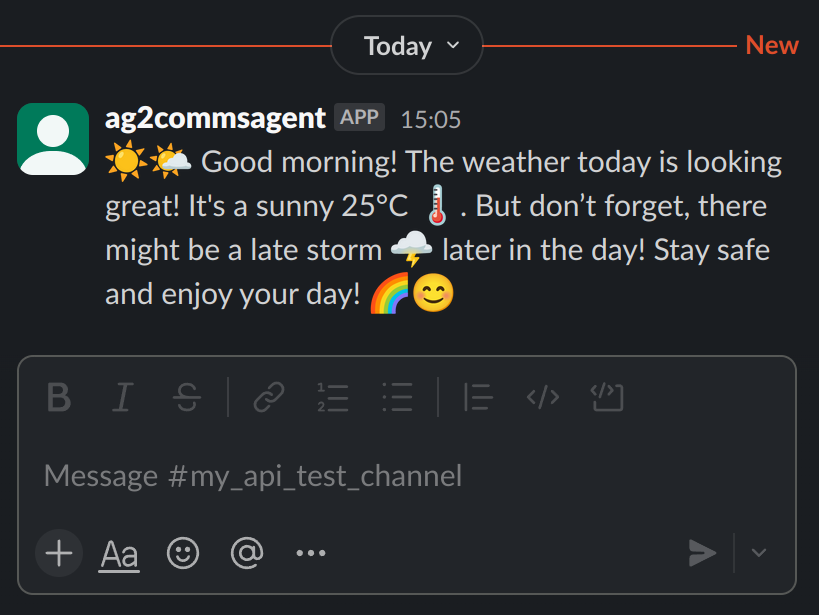 And the output:
Telegram Send/Retrieve Messages
Tokens, Bots, Groups, and Channels
The Telegram tools,TelegramSendTool and TelegramRetrieveTool,
require authentication (API ID and hash) and target Bot/Group/Channel
details in order to send/retrieve messages.
The Telegram tool is different to the Discord and Slack tools in that
you can send/retrieve messages to/from a bot channel, a group channel, a
channel, or even your own private channel. This is all handled by giving
the respective ID to the chat_id parameter when creating the tool.
Here’s how to establish your API ID and Hash:
If you want to create a bot, which is optional but allows you to send
messages to the bot channel:
- In Telegram, search for (BotFather?)
- Click on (BotFather?) (make sure it’s the correct one!) and click START
- Message
/newbot - Give it a name then a username
- You’ll then receive a token for your bot and you see the links below to get the ID for your bot
chat_ids you can send to:
- Bot chat
- Group chat
- Channel chat
- Private chat (noted in Telegram as
Saved Messages)
You may be prompted for Telegram verification during the AG2 chat session. This typically happens when you first run it and is not required during subsequent runs.
Sending and retrieving messages with Telegram
Let’s add the Telegram Send and Retrieve tools to an agent and have them executed by another agent in as simple 2-agent chat.chat_id.
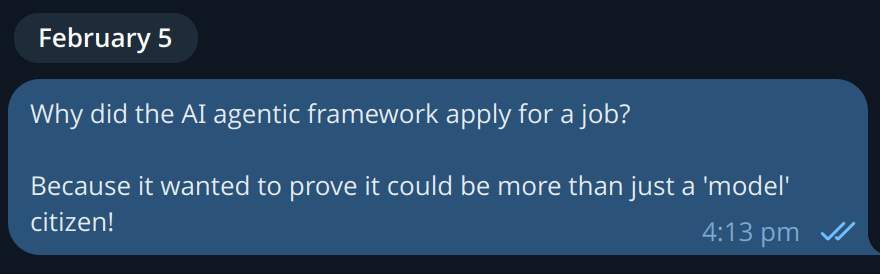 And the output: